
 |
|
|
|
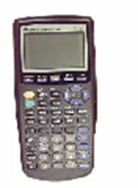
Graphing Calculators: Using Technology while Teaching MathGraphing calculators are an excellent way of using technology while teaching math. If you are interested in other technologies, check out our page on teaching with computers or try teaching with manipulatives.
The brand for graphing calculators is Texas Instruments (TI). Most school districts use the TI-83, TI-83+, or the TI-84. The most recent model is the TI-89, which is much more user friendly and also offers many new features. This page will focus on the TI-83 family because it used so much more. C'mon, using technology while teaching math can be fun!
Find equation of a line in the form y=mx+b when given two points.
Use screen capture and overhead projector so that you can demonstrate key strokes of a calculator. If possible, acquire two overhead projectors. One to post your problems and the other for the calculator. Allow a student to be your "finger pusher." It is a good way to engage a student and it gives you a chance to roam the room. Make the calculator mandatory for some problems, and forbid its use for other problems.
Using technology while teaching math can be easy with the right training. If you are not too familiar with the graphing calculators, don't worry, it will be easy for you to pick up after a little practice.
Want to learn an fun and exciting way to teach the substitution method? Why not learn how to use algebra tiles and get a free download while you're at it? Take a look at GRADE-A's page on manipulatives.
Return to other free teaching tools.
Return home.
|
Stay connected
|
||

| . | ||
| Home │ Site Search │ Math Help Blog │ Help Keep GradeA Free | |
Written by Team GradeAmathhelp.com, all rights reserved. | ||